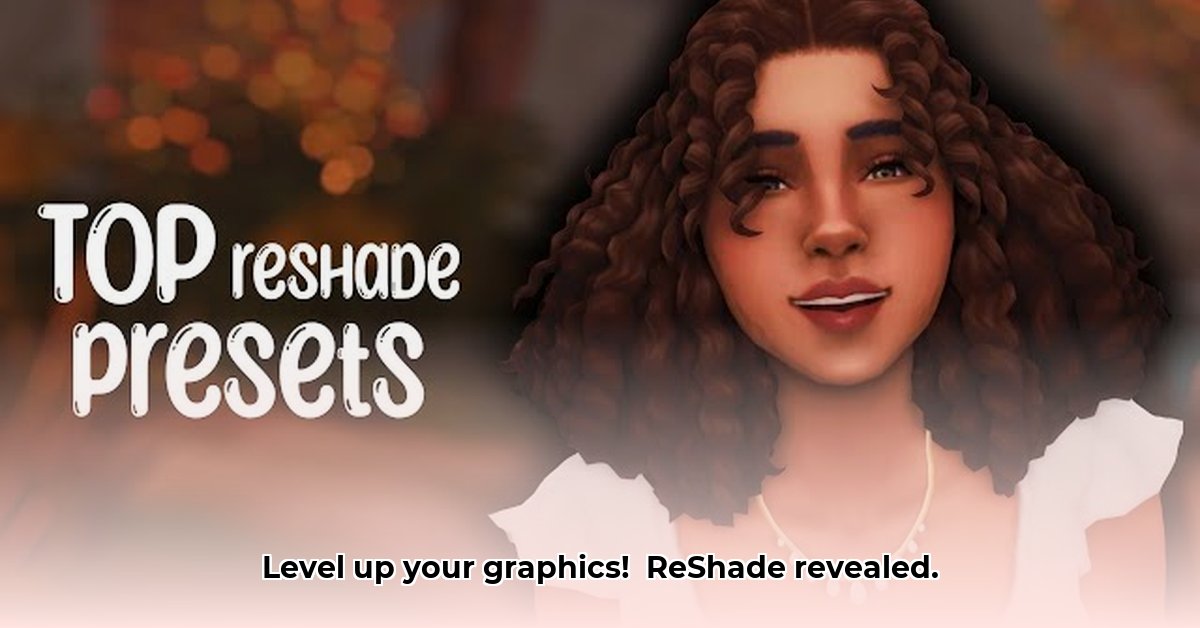
Want to transform your gaming experience with breathtaking visuals? ReShade offers a powerful way to dramatically improve your game's graphics. This deep dive explores its capabilities, ease of use, limitations, and future potential, providing a comprehensive guide for both beginners and experienced modders. We'll cover everything from simple preset installation to advanced shader creation, ensuring you can harness ReShade's power to its fullest.
ReShade's Technical Foundation: How It Works
ReShade operates by injecting itself into your game's rendering pipeline, acting as an intermediary between the game and your graphics card. This allows it to modify the image after the game renders it, adding post-processing effects. Its compatibility extends to a wide array of graphics APIs including DirectX 9, 10, 11, 12, OpenGL, and Vulkan, ensuring broad game support. This versatility is a key strength, making ReShade exceptionally adaptable.
The core of ReShade's functionality lies in its custom shader language, ReShade FX. Shaders are essentially mini-programs that manipulate the image data. They allow precise control over aspects like lighting, shadows, colors, and depth of field, enabling highly customized visual enhancements. This opens up a spectrum of possibilities, from subtle improvements to radical transformations of your game's visuals.
User-Friendly Interface: Presets and Community Contributions
One of ReShade's greatest assets lies in its accessibility. While offering advanced capabilities for coding enthusiasts, beginners can easily leverage pre-made presets for immediate visual improvements. These presets are configuration files (.ini files) offering ready-to-use visual enhancement packages created and shared by the vibrant ReShade community. They range from subtle tweaks to dramatic overhauls. This vast library of community-created presets makes achieving impressive results remarkably simple. Isn't it amazing how much the community contributes to this project's success?
Installing a preset is straightforward: simply download and place it in the correct ReShade directory. This ease of use, combined with the immense creativity of the ReShade community, ensures a continuous influx of new and exciting visual enhancements.
Advanced Shader Creation: Unleashing Creative Potential
For users comfortable with coding, ReShade FX opens up a world of limitless customization. It's not just about tweaking sliders; it's about creating entirely unique effects. Imagine designing custom bloom effects, lens flares tailored specifically to a game's aesthetic, or even unique types of chromatic aberration. This level of control empowers users to push the boundaries of visual creativity within their games. The possibilities are truly astounding.
Limitations and Challenges: Addressing Potential Issues
While ReShade is incredibly powerful, it's crucial to understand its limitations. In many online multiplayer games, access to the game's depth buffer (information about object distances) is often restricted to prevent cheating. This limits the types of effects achievable, particularly those reliant on depth information (like sophisticated depth of field). Furthermore, the open-source nature of ReShade, while fostering community growth, also introduces a potential security risk, although this is significantly mitigated through careful selection of reputable sources for presets and installers. How can we balance these challenges while maintaining ReShade's openness?
Another factor to consider is performance impact. While high-end systems will handle sophisticated shaders with ease, lower-spec systems may experience performance drops. Careful consideration and optimization are key to achieving the desired visual quality without impacting gameplay.
ReShade's Add-on API: Shaping the Future
A significant advancement in ReShade 5.0 was the introduction of a powerful add-on API. This API allows for the creation of plugin-based effects, paving the way for smoother integration with other tools and a more streamlined user experience for both users and developers. While still evolving, this API holds immense potential for future development, community engagement, and the overall longevity of the ReShade platform.
Performance Optimization: Balancing Visuals and Frame Rate
ReShade's performance impact varies based on your hardware and the complexity of the shaders used. High-resolution textures and intricate shaders are inherently more demanding. However, strategic optimization is possible. Lowering the resolution of post-processing effects or disabling less crucial ones can significantly boost performance. Experimentation is critical in finding a balance between enhanced visuals and smooth gameplay. Many advanced shaders offer adjustable parameters to fine-tune their processing intensity, offering better control over performance.
Future Outlook and Conclusion: A Powerful Tool for Visual Enhancement
ReShade's future appears bright. The add-on API’s ongoing development promises even more innovative shaders, smoother integrations, and enhanced user workflows. However, addressing ongoing challenges, such as security concerns and anti-cheat conflicts, remains essential for its continued success. Despite its limitations, ReShade remains a powerful tool for enhancing game graphics, offering a level of customization unmatched by many other solutions. Its open-source nature and strong community support ensure its continued evolution and relevance in the gaming world.
Quick Start Guide: Getting Started with ReShade
- Download: Download the latest ReShade installer from the official website.
- Game Selection: During installation, select the game's executable file (.exe) you wish to enhance.
- API Selection: Choose the correct graphics API (DirectX 11, Vulkan, OpenGL, etc.) used by your game.
- Shader Selection: Select desired shaders. Start with pre-made presets for ease of use and gradually explore more advanced options.
- Configuration: Utilize ReShade's in-game overlay to adjust and fine-tune the visual enhancements to your preference.
Pros and Cons of ReShade: A Balanced Assessment
| Pros | Cons |
|---|---|
| Open-source, community-driven | Potential performance impact |
| Wide API compatibility | Multiplayer limitations |
| Extensive customization options | Security risks (mitigated by careful resource selection) |
| Vast library of pre-made presets | Requires some technical skill for advanced usage |
| Relatively user-friendly | May be affected by game updates |
This review aims to provide a comprehensive understanding of ReShade's capabilities. While it offers significant advantages in visual enhancement, it's crucial to consider its limitations and potential performance impacts before implementation. Remember to prioritize safety and only download resources from trusted sources.
⭐⭐⭐⭐☆ (4.8)
Download via Link 1
Download via Link 2
Last updated: Tuesday, April 29, 2025